What stays on your device, and what an AI request sends
Tap Into Calm is a browser guide for EFT tapping. There is no account. The journal, notes, and the tapping round itself stay on your device and work offline after you install the app. Phrase suggestions with AI are optional and need a connection. This page covers that split. The short routine is on the home page.
What stays on the device
Limits of the method itself are in the method page. Questions about accounts and storage are in the home FAQ.
Journal stays local
Saved sessions, notes, and settings are stored in this browser only. They are not uploaded. The optional AI suggestion, described below, is the only request that leaves the device.
No account, no registration
No need to create a profile or remember passwords. Open the site and start a session right away.
Offline mode and installation
You can add the app to your home screen. The library, the tapping round, the journal, and the metronome then work with no connection. Speech follows the voice you picked. A voice marked offline in settings keeps working. AI phrase suggestions need a connection.
Journal encryption
You can encrypt the journal. Unlock it with fingerprint or face, where the device supports it, or with a PIN you choose in the app. That PIN is not stored. Without the lock, sessions stay on the device in readable form.
Session with AI
From the home screen, Start a session with AI asks you to describe what is going on and to rate how strong it feels from 0 to 10. The app then offers a setup statement, short reminder phrases, and a closing phrase for the round that starts only when the rating is 3 or below. You pick and edit the lines before any tapping begins. The same kind of suggestion is also available inside an ordinary session, after you have already chosen a feeling.
The wording follows the tapping routine. At a rating of 4 or higher, the setup names the problem and ends with acceptance. Calming choices stay in the closing line for later, when the rating has fallen. Nothing is tapped until you press start. If you are offline, or the suggestion fails, you can still write the phrases yourself.
Anonymous request, and the stop for self-harm
The AI request does not include your name, journal, notes, PIN, or fingerprint. It sends only the description you typed and the intensity number, so a phrase can be drafted. The app has no account to attach that text to. The safety log on the server records the time, an anonymous hash of the network address, and whether the request was allowed. It does not record the words you wrote.
The text is checked for signs of suicide, self-harm, or harm to someone else, both before a phrase is requested and again on the draft that comes back. If that check matches, tapping phrases are not shown. The app shows this instead: find a crisis line in your country at findahelpline.com. If you are in immediate danger, call your local emergency number: 112 in most of Europe, 911 in the United States and Canada, or 999 in the United Kingdom.
That check is a word filter, not a clinician. Other wording can pass through. The suggestion is not medical advice, and it is not a crisis service. If you may act on thoughts of hurting yourself or someone else, contact a person, your local emergency number, or a line from that list directly. Do not wait for the app to notice.
What the trainer adds
The five-step outline sits on the home page. The trainer is where you actually tap. The question mark in the header opens a glossary, including where each point is. A few details are easy to miss from the short list:
Name the topic
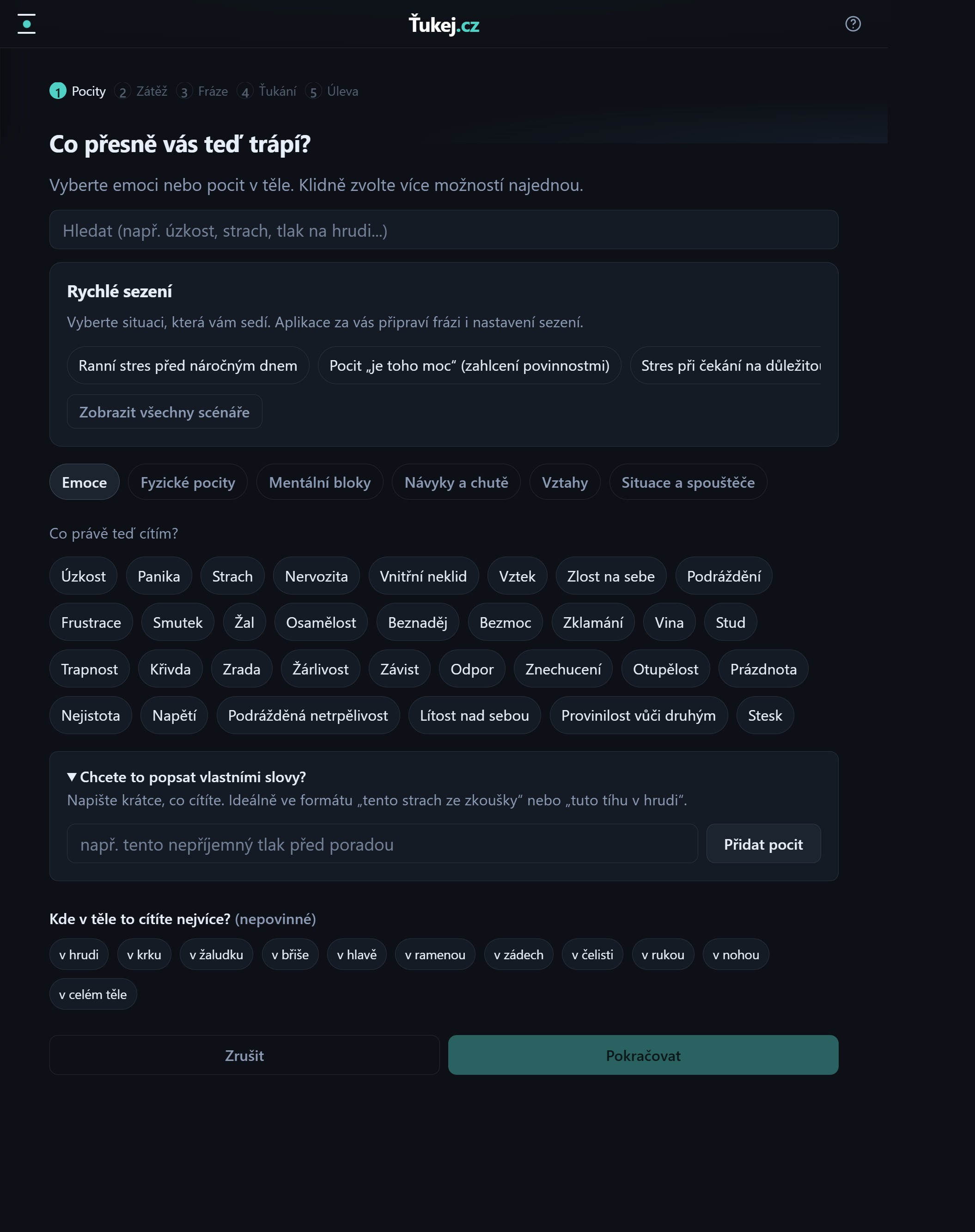
Search the catalog, pick one of 129 ready-made scenarios in 11 groups, describe the feeling in your own words, or start from the AI screen. You can also mark where you feel it in the body.
Rate the intensity
The 0–10 slider is the number the next rating is compared with. The session is complete only when that number reaches 0.
Phrases you can rewrite
The setup sentence and one reminder are built from the single target. The same reminder is used on every sequence point.
Nine points, one reminder at a time
A body map shows the point and the one reminder for that round. Voice, vibration, a metronome, and an optional binaural tone can run with the round. The karate-chop setup is spoken three times at the start of every round while the intensity is above 0.
A new rating after every round
After the last point, take a breath in and out, then rate the same issue again. At 0 the session ends. If the number dropped, the next round uses “still some of this” and “this remaining”. If the number did not change, name a new aspect before tapping again. You can add a note when you save.
Journal, charts, and settings
A tile list of the same features is on the home page. Here is what those tiles do not spell out.
Personal journal
It keeps saved sessions and notes. You can open an entry, edit the phrases, play that session again, mark a favorite, or delete it. Export writes an encrypted file on this device. Import replaces the journal here with that file. It does not load a separate pack of scenarios from someone else. The backup password is not stored, and the journal lock on this device is not copied into the file.
Progress and statistics
Charts show the long-term trend in your emotional intensity. You'll see which topics you work on most often and the average drop for each, plus your total number of sessions and your day streak.
Detailed settings
Light or dark appearance, the guide voice and its speed, vibration, metronome, and the optional binaural tone. Experienced users can skip the karate-chop point after the first round. Reminders are local notifications on this device. In settings you can also ask the browser to keep storage, or erase every saved session.
Installation and support
We work offline too
After a first visit with a connection, you can install Tap Into Calm on the home screen and use the trainer, library, and journal with no network. Phrase suggestions with AI wait until you are online again.
Want to support the project?
Running and maintaining even a simple app like this takes time and technical infrastructure (hosting, a domain). If Tap Into Calm helps you, you like our approach to privacy, and you'd like to support its continued operation and development, we'd be grateful for any small contribution.
You'll help us keep the app free and ad-free for everyone else too.